Today I learned two things about my iPhone I didn’t know you could do. I’m not sure how long they’ve been iOS features, but I wasn’t aware of them — for all I know they’ve been there since the beginning.
The first involves receiving a call. Any time someone calls me, whether its a regular phone call or FaceTime, my desk explodes into a cacophony of ring tones, all slightly out of sync of one another, and sometimes just about loud enough to knock me out of my chair. Its close.
Today I found this screen in iOS 9, Settings > Phone > Calls on Other Devices.
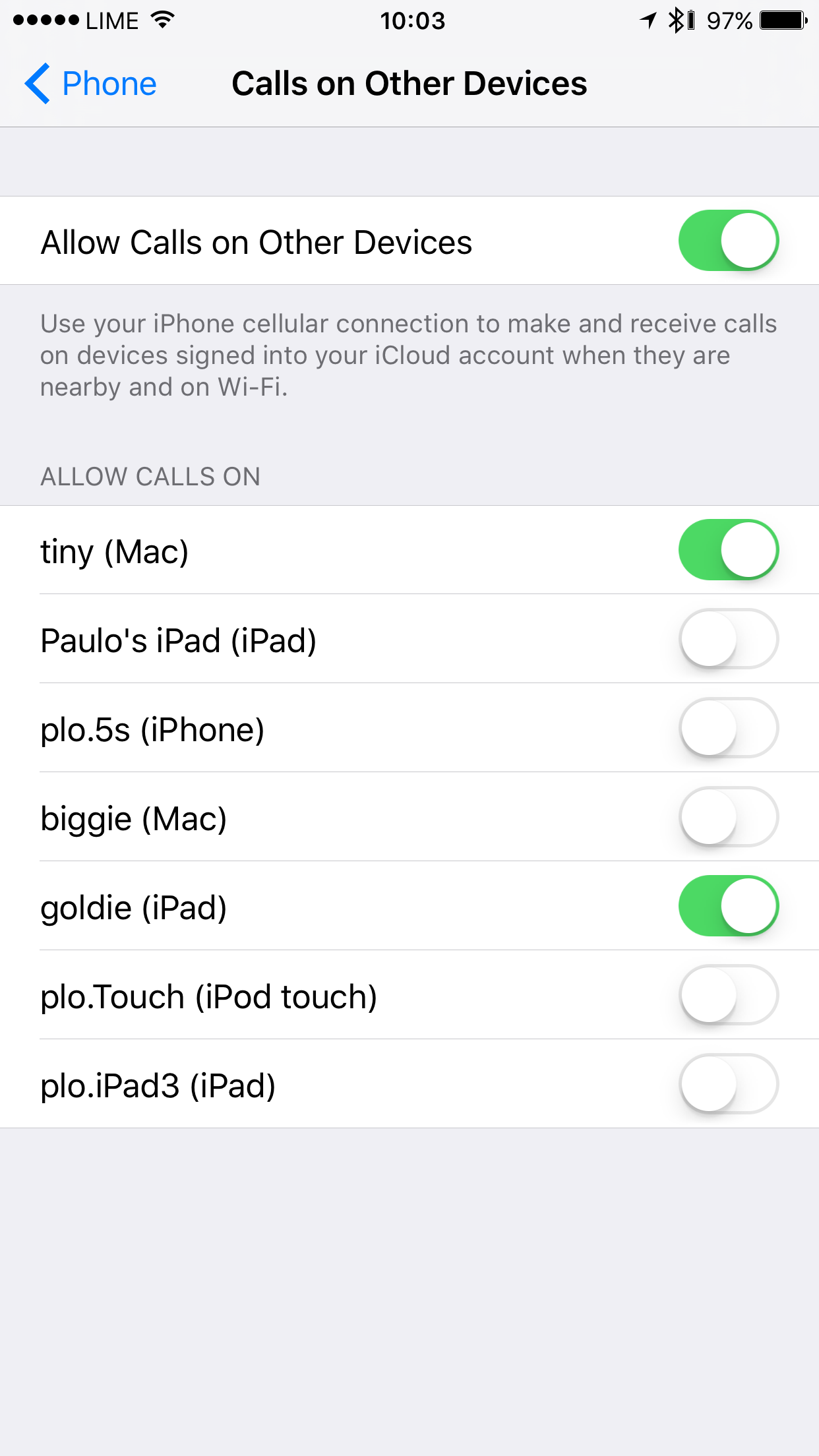
I unselect the devices that I’m signed into but don’t want to ring. So simple, so useful.
The second involves receiving a call while using Bluetooth headphones. I’ve been bitten by the wireless headphone craze and have a pair of Beats Studio Wireless headphones that I use at my desk (they’re great) and Powerbeats 2 while on the go.
However every time my phone rings and my wireless headphones are connected I have to tap the Audio button and select the headphones as the audio source. This means that whenever I get a call I have to say “hold on, one sec” while I route the audio to the headphones — its a little annoying.
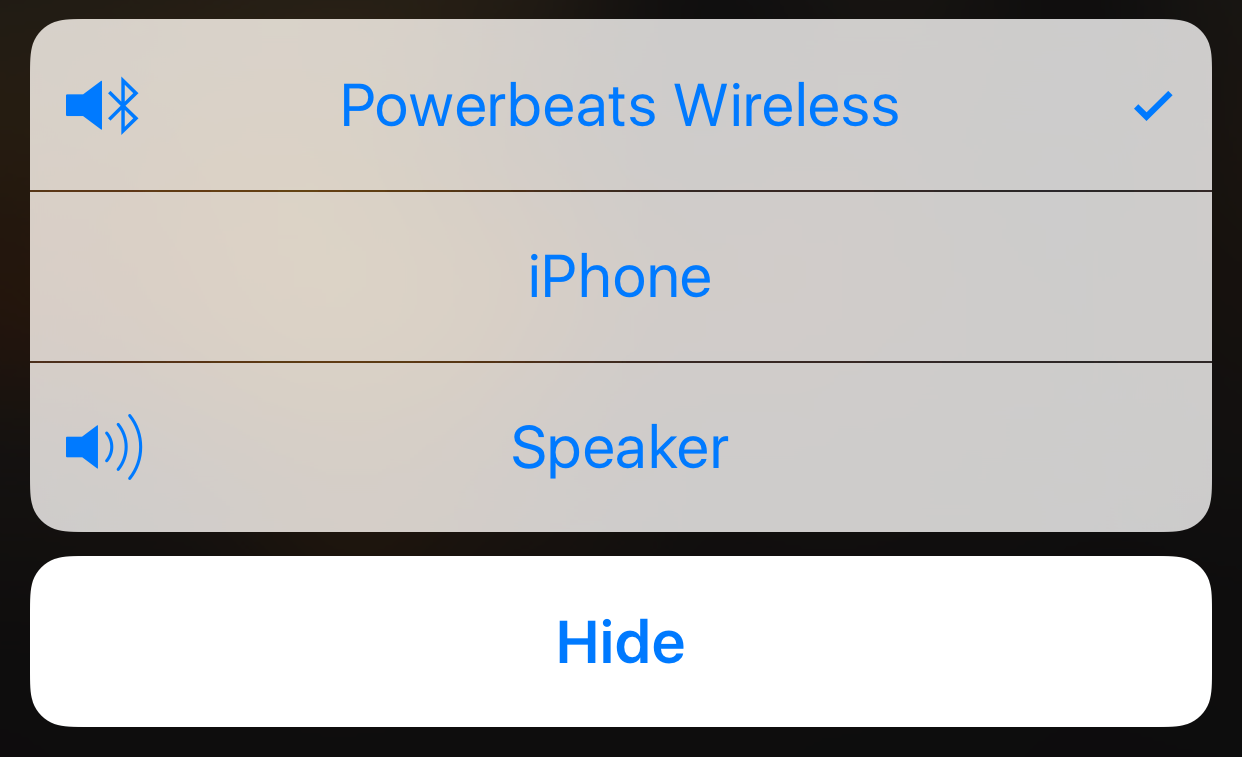
Choose your own audio route
Today I found a gem hidden in Settings > General > Accessibility > Call Audio Routing.
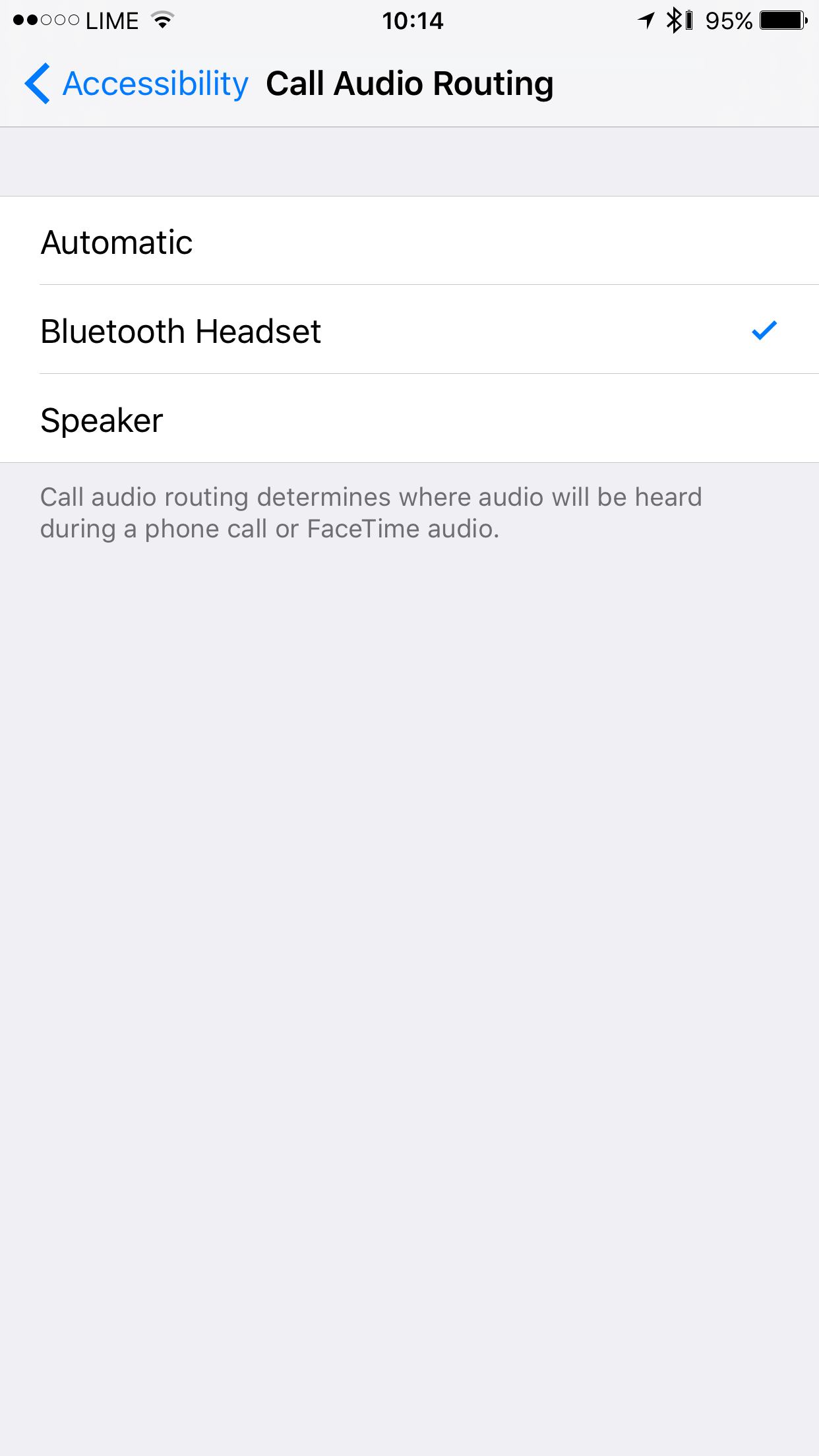
If you set this to Bluetooth Headset the audio routes automatically and the problem goes away.
Very cool.